Applications
One app per program you sell: its secret, version, trial and rules
An application stands for one program you sell. Keys, sessions, HWID resets and updates all belong to an application, so most pages let you filter by it
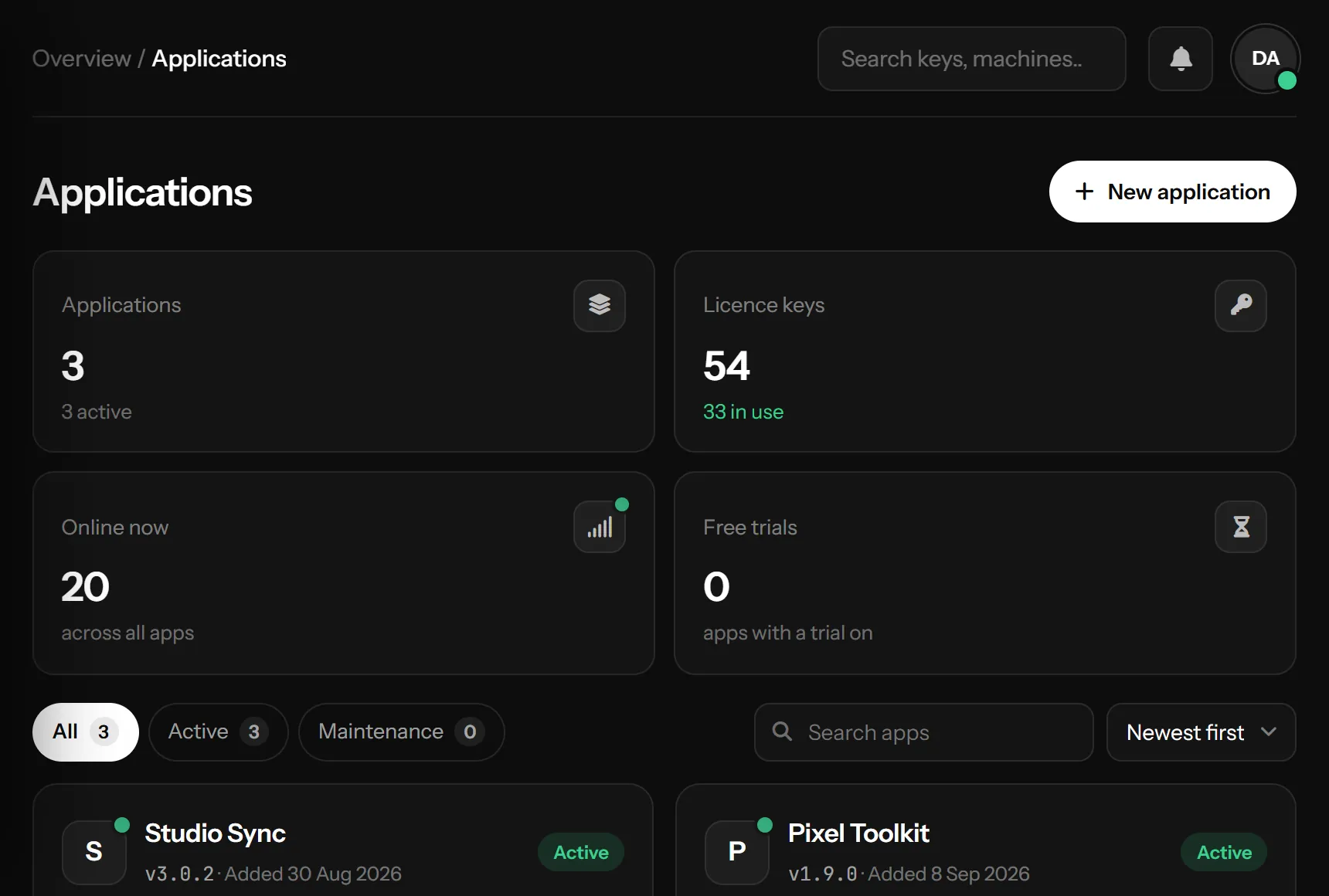
Create an application
In Applications press New application and fill in:
- Name: shown to you, and to customers in the SDK's sign-in reply
- Current version: the version your customers should be on, like
1.0.0. Publishing a stable update in Updates raises it for you - App secret: Generate a new one for a new program, or Use an existing secret to keep builds that are already out there working
- Status, Welcome message, Free trial, Customer accounts, Download link and Key format: the first settings of the app. You can change all of them later in its settings
The platform may limit how many applications one account can have; when you reach it, the panel says so. Ask support on Telegram for more
App settings
Click an app's card, or Settings on it, to open everything about that app on one page. At the top: its logo, version, app ID and its numbers (license keys, online now, customer accounts, last activity). Below, the tabs:
| Tab | What is in it |
|---|---|
| General | Logo, name and current version, status (Active, or Maintenance with a message), download link, seller, key format |
| Messages | The welcome message, and what customers read when something is refused (see below) |
| Customers | Free trial, customer accounts and sign-up, moving a key to a new PC |
| Social links | Your Discord, Telegram, YouTube or website, as buttons in your program |
| Add-ons | Extra content a customer unlocks with an add-on key, inside the program (see below) |
| Files | Protected files: files your program fetches after it signs in |
| Secret | The app secret and app ID, a new secret, deleting the app |
Each tab has one Save changes at the bottom. It wakes up when you change something, and stays in reach while there is something to save. Leaving with unsaved changes asks first. A field with a problem comes back marked, with what you typed
General
- Logo: a JPG, PNG, GIF or WebP up to 2 MB, cut to a square. It shows on the app's card, in its settings and on the customer page. Without one, the first letter of the name shows
- Name and version: the version is what your program compares with when it starts. Publish an update opens Updates for a new build with its file and notes
- Status: in maintenance every sign-in and heartbeat is refused with your message, so running copies close within 30 seconds
- Seller: the name and contact your customers reach to buy or renew, like
t.me/yourname. Your program gets them in thesellerblock of every sign-in of a key you made yourself. Left empty, the app's name is sent. Keys a reseller sold carry the reseller's own name instead - Key format: what this app's new keys look like, for example
MYAPP-########. Every#becomes a random letter or digit, the rest stays as you type it (always upper case). It needs at least 8#, so a customer cannot guess another customer's key from their own. A live example shows under the box. Empty = the standardXXXXX-XXXXX-XXXXX-XXXXX
Customers
- Free trial: a new PC can try the app without a key for the days you set, once. PCs per trial and Trials per address (how many PCs behind one internet address may start a trial) keep one person from running trial after trial
- Customer accounts: customers sign up inside your program with a username and password. What a new account gets, whether sign-up needs a key, and what a key added later does are explained in Users
- Moving to a new PC: whether customers move their key to a new PC by themselves, and how often. See HWID resets
Social links
Add your Discord, Telegram, YouTube, X, Instagram, TikTok, Facebook, GitHub, Reddit, Twitch, website or support email. Your program reads the list when it starts and shows them as buttons, so a new or changed link reaches every copy with no update
- Drag a link by its grip to change the order. The switch hides a link from the program without removing it
- The name on the button is optional: empty uses the platform's name. A bare address like
discord.gg/yourservergetshttps://, an email becomes amailto:link - Each link shows how many times it was clicked, when your program reports clicks
- For your program:
GET /api/app/info.phpreturnssocial_links(platform, name, link, icon, colour) andPOST /api/app/social-click.phpcounts a click. See API reference
Add-ons
An add-on is extra content the customer unlocks inside your program, while signed in with their own license key or account: a map pack, a skin set, a Pro mode. Sell it with add-on keys. An add-on key never signs in by itself, and the customer does not sign in again: they type it in a box you show, and the add-on is theirs at once
- In Add-ons, add one with a name, a code (what your program checks, like
night_city) and how long its keys give it: for good, or a number of days - Make keys makes its keys, in your app's key format. Sell them like license keys. Its keys shows each key: unused, or who added it and when
- Your program calls
redeemAddon(key)from the SDK generator (POST /api/auth/redeem-addon.php, see API reference) - Sign-in and every heartbeat bring
addons: the add-ons this customer has, each with itscodeand when it ends. Show or unlock the content by its code
- The content itself on the server: in Files, set Who gets it of a protected file to an add-on. Only customers who have the add-on can fetch it; for anyone else it does not exist. A cracked program that flips a check still has nothing to load
- A second key of the same add-on adds its days on top; for good stays for good
- On sale: switch an add-on off and its keys are refused (
ADDON_UNAVAILABLE). Customers who have it keep it - By hand: the side panel of a key in Licenses or of an account in Users lists its add-ons. Give it gives one, Take it away takes it away; the program sees it at its next heartbeat
- Deleting a key or an account takes its add-ons with it. Deleting an add-on deletes its keys, and its files go to every signed-in customer again
addon.redeemed tells your server when a customer adds an add-on key (see Webhooks)Files
A protected file is a file your program cannot run without, kept here instead of in the update. The program fetches it after it signs in with GetResourceAsync("name"), or loads a .NET dll from memory with LoadModuleAsync("name"). Each customer's copy carries their mark, so a copy that runs leads back to a key; the Leak tracer page reads that mark
The secret
In Secret, Show and Copy the secret, or copy it from the card's ⋯ → Copy secret. It goes into your program (see C# and VB.NET). The app ID next to it names the app in the Developer API and the bots; it is not a secret
Make a new secret replaces it. Do this only if the old secret leaked: every build that has the old one stops connecting until you ship a build with the new one. The new secret shows in full once
Messages: what customers read
The Welcome message is sent with every successful sign-in, for your program to show. When something is refused, your program receives a message written for the customer: in Messages you write those yourself, in any language. A box left empty sends the built-in English text, shown in grey
The refusals are in two lists:
| List | Messages |
|---|---|
| When signing in | Key not found, Key banned, Key paused, Key expired, Another PC, Blocked, All PCs used. Banned, paused and expired are also what a running copy shows when it happens while it runs |
| While it runs | Ended by you (End session in Sessions), Machine reset, Signed in again, Key deleted |
Put details into a message with placeholders: click one under the box to insert it where the cursor is. The server fills them in:
{key}the license key,{app}the app's name,{expires}the expiry date, like9 Nov 2026,{devices}and{max_devices}for a key that is on all its PCs
The preview under each box shows the message with sample values. Example: Your license ended on {expires}. Renew it on Telegram: @yourname
Find your way around
- Switch between cards and a compact list with the view buttons; the panel remembers it
- Each card shows its keys (active of all), who is online and the last activity. Keys opens its licenses
- Search by name, and sort by newest, name, most keys, most online or last activity
Delete an application
In Secret → Delete, or the card's ⋯ → Delete, type the app's name to confirm. It removes the app with all its keys, sessions, resets, updates, resellers (with their credits), its logo and links, and every running copy stops working. It cannot be undone
Something missing or unclear? Tell us on Telegram