Sessions
Who is running your app right now, and how to sign anyone out
A session is one running copy of your program on one PC. It starts when the customer signs in and stays alive through the heartbeat (see How protection works). This page shows who is running your apps right now
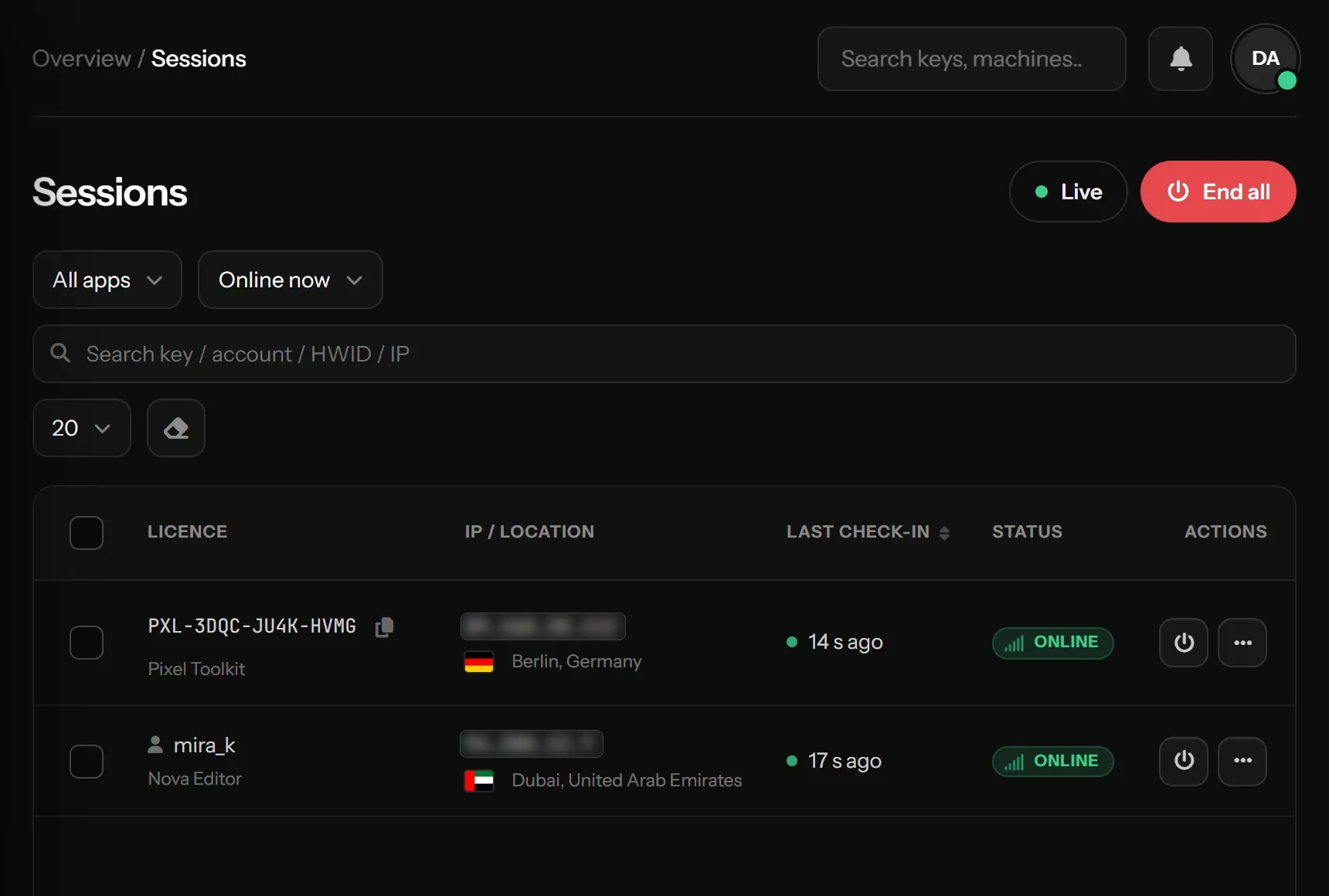
Live, without reloading
The page opens on Online now and refreshes its numbers and table by itself every 15 seconds. The Live button pauses that. It also waits while you are selecting rows, have a menu or window open, or are typing in the filters, so nothing moves under your cursor
The cards
| Card | Shows |
|---|---|
| Online now | Sessions that checked in within the last 2 minutes. "Not answering" counts ones that went quiet but are not timed out yet |
| Licenses in use | Different keys online, and sign-ins per day in the chart |
| Machines | Different PCs online, and sign-ins in the last 24 hours |
| Average session | How long sessions lasted over the last 7 days |
| Ended (24h) | Sessions that ended in the last day, and how many of them you ended |
The table
Each row shows the key (or the customer account), the machine, the IP address with its city and country, when it started, its last check-in (with a pulsing dot while online), how long it ran, and its state
Switch the filter to Ended or All sessions to see history. The state tells you why a session ended:
| State | Why |
|---|---|
| ONLINE | Running and checking in |
| NOT ANSWERING | No check-in for 2 minutes. Usually the program was closed without signing out (window closed, crash, PC switched off, internet down). It becomes Timed out after 5 minutes, or Online again if it comes back |
| SIGNED OUT | The program signed out (closed normally) |
| TIMED OUT | No check-in for 5 minutes: PC off, internet down, program killed. Its duration counts up to its last check-in |
| REPLACED | The same key signed in again on the same PC |
| ENDED BY YOU | You pressed End session |
| BANNED EXPIRED PAUSED | The key itself stopped |
Sign someone out
- End session on a row ends that one session. The program closes on its next check-in with "This session was ended by the developer. You can sign in again." Nothing is banned
- ⋯ → End all of this license ends every session of that key
- ⋯ → Ban this key bans it on the spot (unban it in Licenses)
- Tick rows and use End sessions in the bar to end several at once
- End all at the top ends every running session of one app or all of them, for example before a big update
Everything you end is written to the activity log
Something missing or unclear? Tell us on Telegram